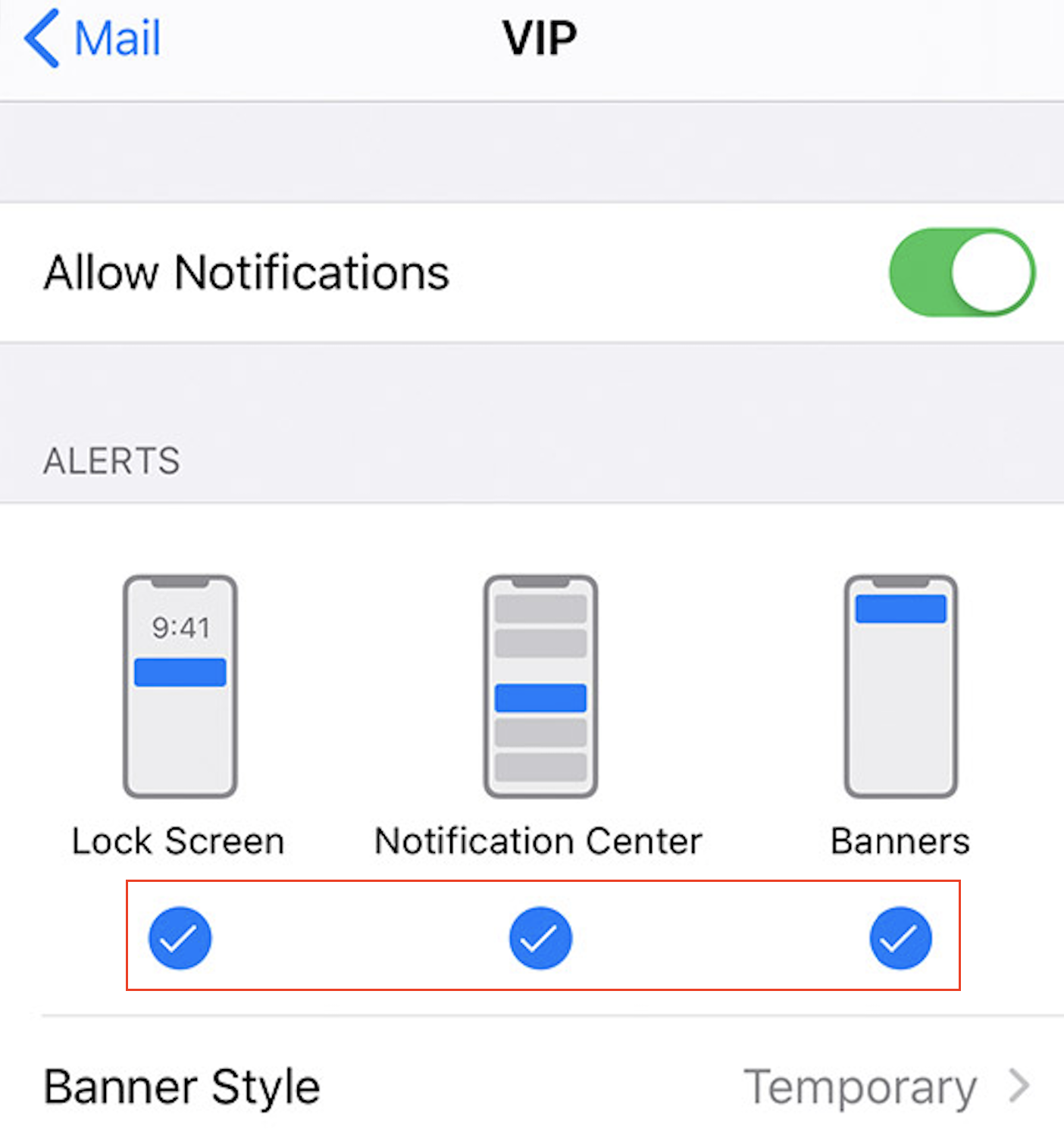
Ensure you always receive and notice Trade Alert email notifications, as they arrive in your inbox.
There is a 2 Step Process to configure the native iPhone Mail App to Alert on receipt of EWO Email Trade Alerts
STEP 1: Add alerts@ewotrader.com to your Contacts
- Open your Phone app (
 )
) - Select Contacts and then the ‘+’ icon in the top right hand corner to add a new contact
- Scroll down and select ‘(+) add email’
- Enter ‘alerts@ewotrader.com’
- Select ‘Done’
- Open the Mail app for iPhone
- Navigate to the main Mailbox Menu by selecting the ‘<Mailboxes’ option in the top left hand corner
- Select the
 icon to the right of the VIP menu option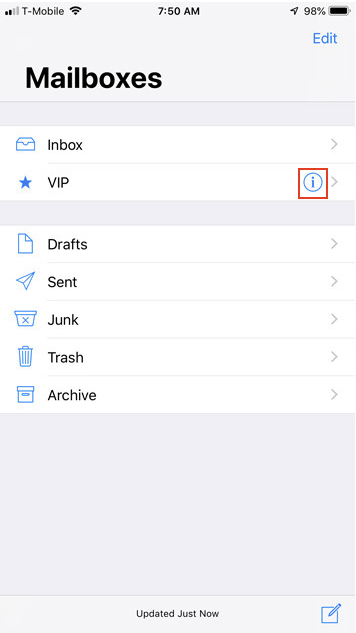
- Select ‘Add VIP’
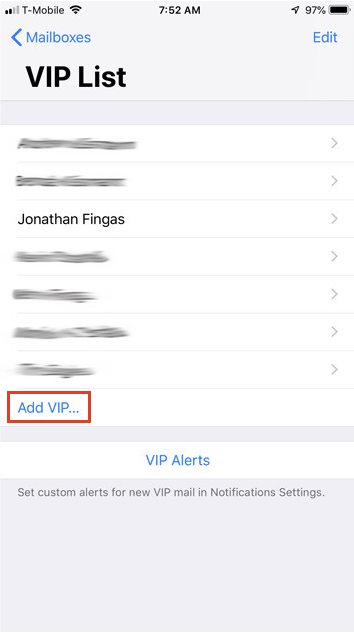
4. Add alerts@ewotrader.com to your VIP list by selecting alerts@ewotrader.com from your Contacts List.
5. Select ‘VIP Alerts’ to select your preferred notification type. We suggest enabling Lock Screen, Notification Center and Banners